Personal relationship memory
Dots is the memory for your relationships
Save the small details people mention in passing. Bring them back when the right moment comes.
Scroll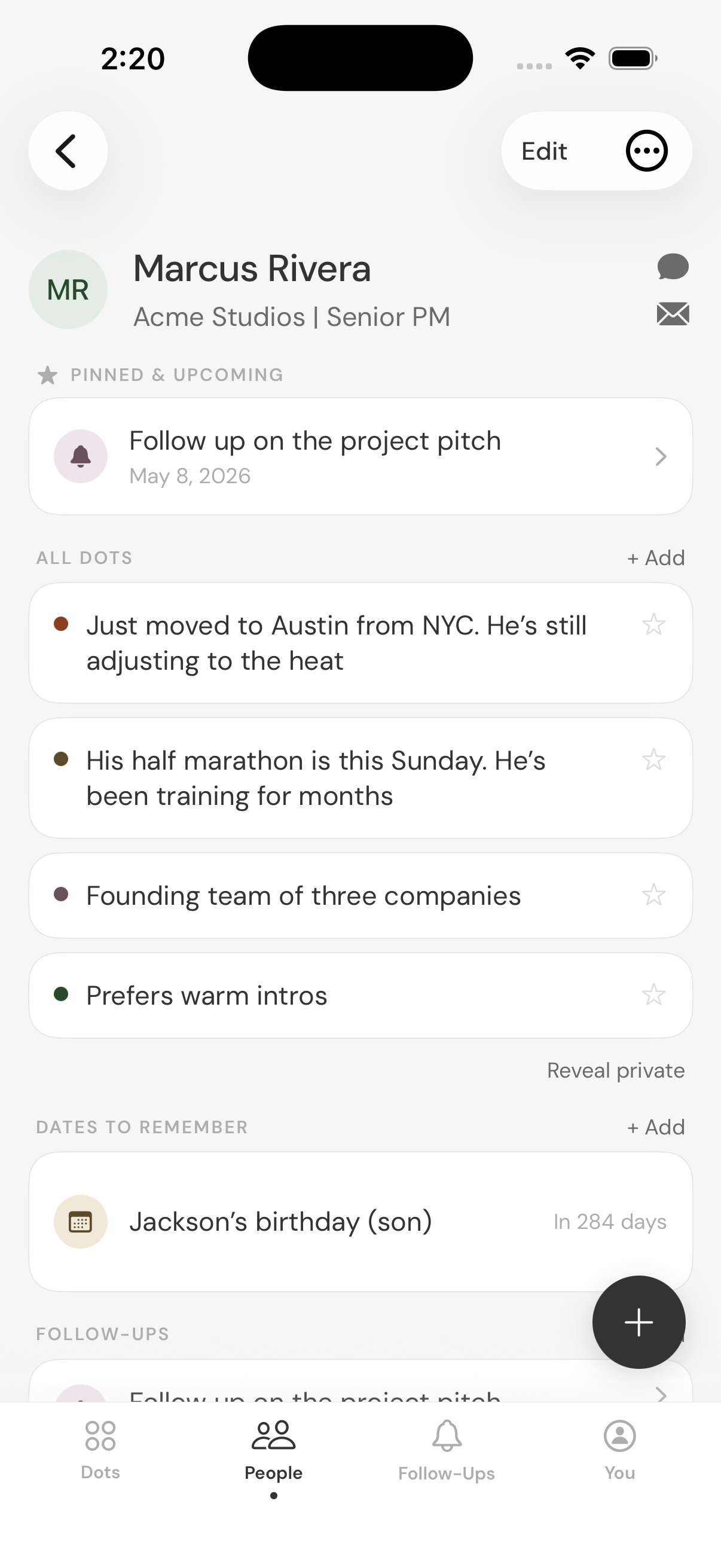
The Problem
You knew the detail. You just couldn't find it in time.
Dots gives you four ways to make sure the moment doesn't pass.
dots
Remember the details that create meaningful relationships.
Stay in touch
A gentle nudge when it's been a while, grounded in something specific about that person.
Remember a date
His marathon is Sunday. Her birthday is in nine days. The app brings it back before the moment passes.
Follow Ups
Circle back on the thing you said you would.
"You got back from Portugal two weeks ago, right?"
Feels different from the old, "how was your weekend?" doesn't it? You meant to ask about the trip, or the new job, or that thing they mentioned once that you'd hoped to remember. Instead, you found the moment passed and the conversation stayed surface-level.
How It Works
The right detail, at the right moment.
It's now three weeks later and the race is this Sunday.
You hear something worth saving
Marcus Rivera
Training for the NYC marathon
You note the date. Dots does the rest.
Marcus Rivera
Marathon — this Sunday
Date to remember
It lives with Marcus
Marcus Rivera
3 dots
Training for the NYC marathon
Prefers warm intros
Part of the founding team of three
Three weeks later — Dots reminds you
His half marathon is this Sunday.
You saved this three weeks ago.
Now you know exactly what to say when you see him.
Best Practices
Good dots are specific.
The best dots are something memorable — about a person, an interaction, a history, a shared moment. Useful dots give meaning to relationships and surface the similarities worth acting on.
Prefers warm intros
Just moved to Austin
Loves vintage Les Paul guitars
Daughter started college this fall
Training for the NYC marathon
Founding team of three
Collects Japanese whisky
Portugal trip last spring
Reads a lot of nonfiction
Getting married next spring
DOTS. NOT A CRM.
No pipeline. No relationship scores. No streaks. Dots helps you remember people without turning your relationships into work.
Questions
Questions? We've got answers.
Is Dots a CRM? +
No. Dots is for remembering people, not managing a pipeline.
What is a dot? +
A dot is one detail about a person. Something they like. Something they're working on. Something worth remembering later.
Who is it for? +
People who are great at meeting people and bad at keeping up.
How is this different from keeping notes? +
Notes are organized by when you wrote them, not by who they are about. Dots keeps everything about a person in one place and brings it back when it is relevant.
Will Dots remind me to reach out? +
Yes. When there is something specific to surface, Dots will nudge you. Not on a schedule, and never without context.
Is what I save private? +
The details you save stay on your device and are not accessible to anyone else.
What if I'm not great at remembering to add things? +
That is fine. Even a few dots about someone is better than none. Dots is not asking for a new daily habit. Just save something when it comes up.
Can I use Dots for personal and professional relationships? +
Yes. Dots is built for both, as long as the goal is genuine connection.
Can Dots integrate with my calendar? +
Currently, Dots integrates with Apple Calendar and Google Calendar. You can log in to your accounts in settings.
Can I import my existing contacts? +
Yes. Import from the People tab. If you search for someone who is not imported yet, Dots can help you look them up and bring in their name, contact details, and birthday if you already have it saved.
Still have a question? support@rememberdots.com